This one is for creators. When an agency in Dubai or Riyadh is casting a campaign, it opens dozens of profiles in an afternoon and decides in a few seconds which ones to read properly. Those seconds go to the profiles that answer four questions at a glance: who is this, what do they make, how many people see it, and what does it cost. A creator page on Wiro is built to answer all four on one link, and these six steps are how to make yours do it well.
1. Lead with your best photo
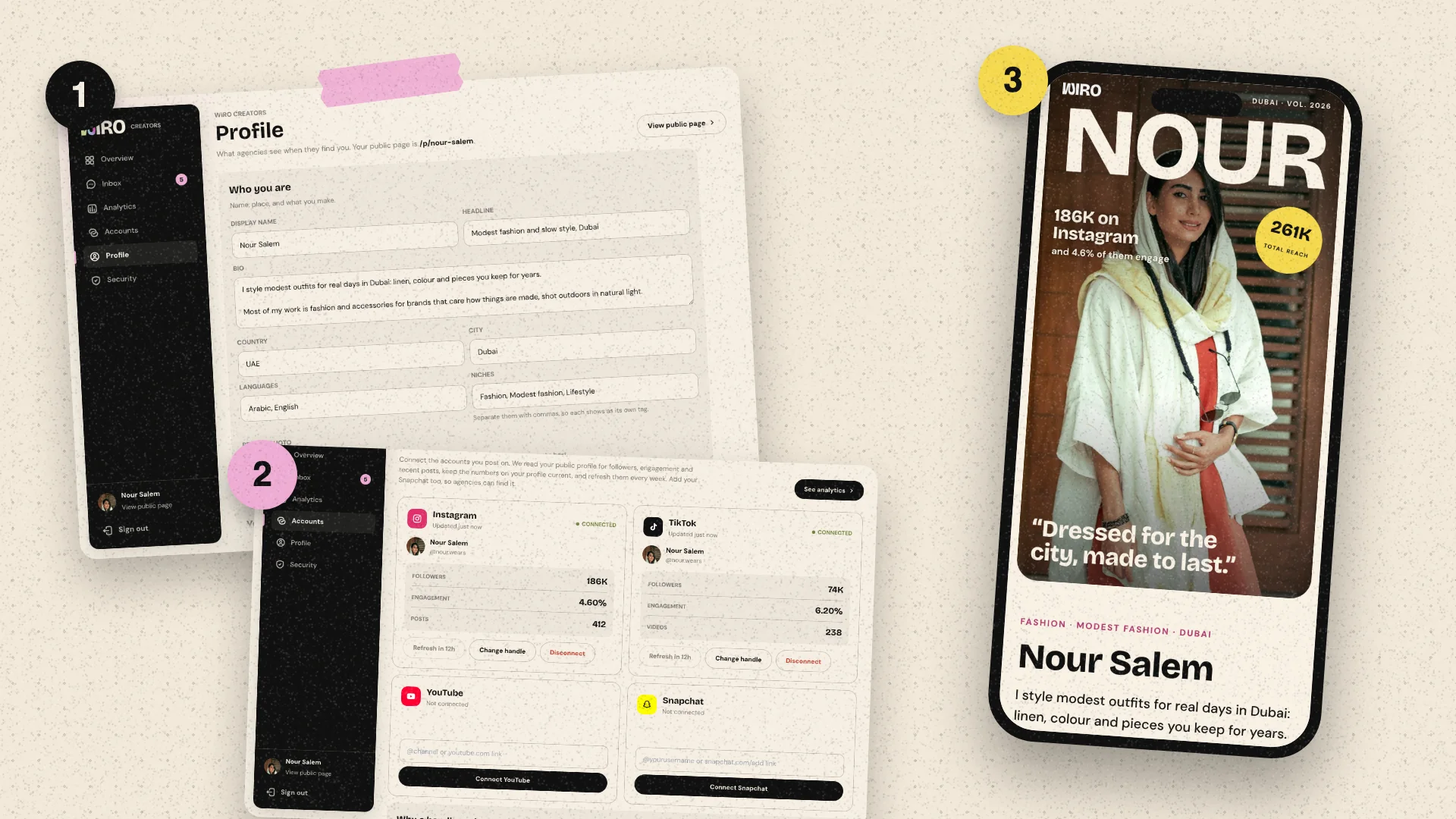
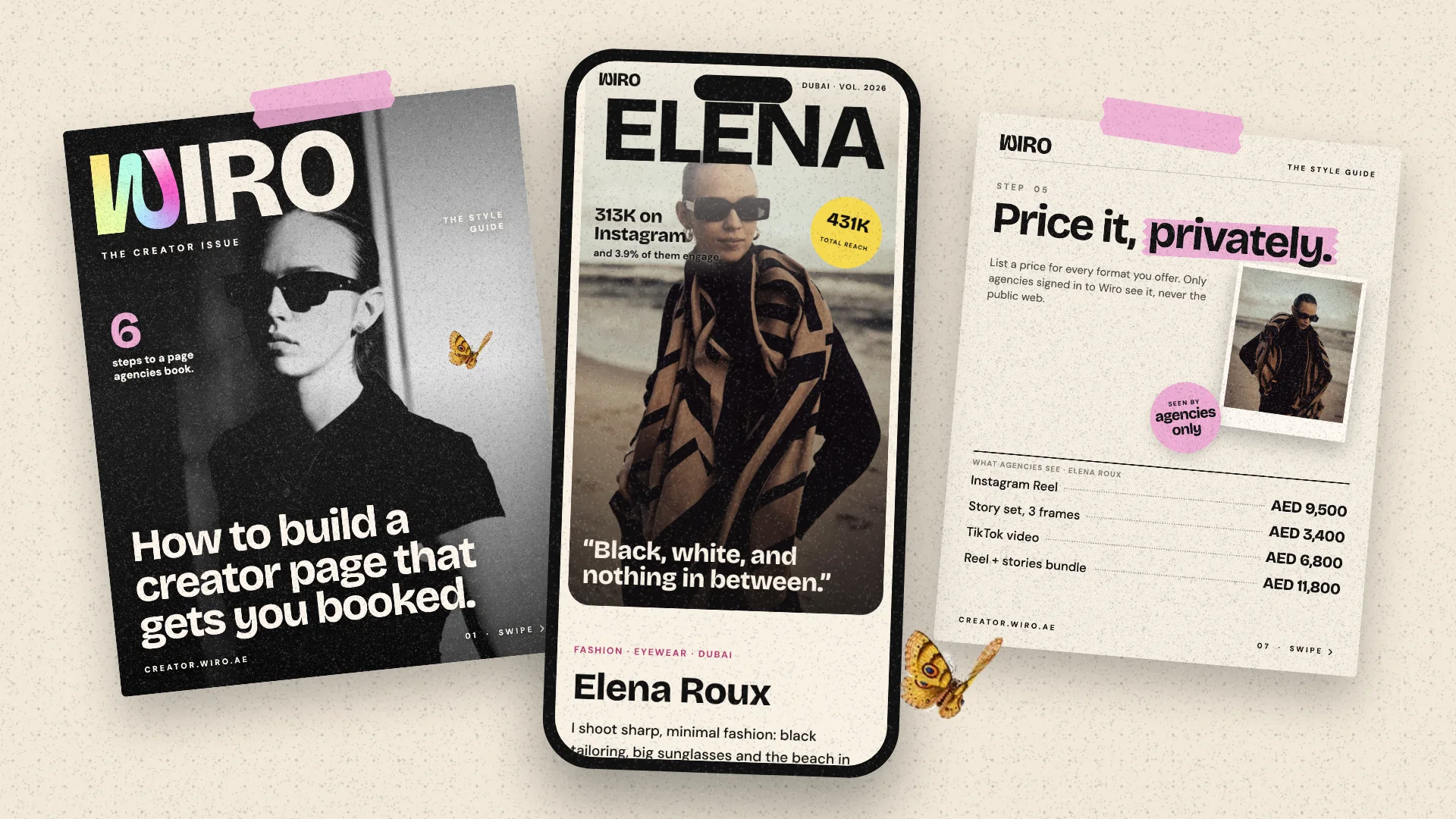
The top of your page reads like a magazine cover: your first name set large across one photo of you, your biggest number beside it, and your line underneath. The photo carries most of the first impression, so it is worth choosing carefully rather than reusing your profile picture.
- Pick a tall photo, sharp at full size. Studio takes JPG, PNG or WebP up to 10 MB.
- Keep your face in the top half. Your name sits across the top, and a face lower in the frame stays clear of it.
- One strong colour or a plain background reads better at a glance than a busy scene.
- Natural light beats a heavy filter. Agencies want to see what a brand will get.
Wiro checks how dark the photo is and switches the type to cream on a dark picture, so the name stays readable either way. Set it in Studio, Profile, Your page cover.
2. Say who you are in one line
Two short pieces of text do most of the explaining. Your headline names your niche and city, for example fashion and eyewear, Paris and Dubai. Your line is one sentence in your own voice, quoted on your cover. Under eight words reads best, and a line that sounds like you is more memorable than a list of adjectives.
Below those sit your bio, the languages you create in and your niches. Separate niches with commas: each one becomes its own tag, and agencies filter the Creator Network by niche, so name what you actually make rather than everything you could.
3. Let your numbers talk
Add each platform with its handle, without the @. Then connect your accounts in Studio, Accounts. You connect with your handle, not a password: Wiro reads your public profile and shows your followers and engagement on your page marked as checked by Wiro. That label matters more than the size of the number. An agency that has been burned by inflated screenshots trusts a checked 40,000 over a claimed 200,000.
Your total reach across platforms appears on your cover, and each platform gets its own card on the page with its followers and engagement. If you want to see your numbers the way an agency does before you share the page, the free engagement rate calculators on this site work from public figures.
4. Show the work, not just words
The work wall is where agencies decide whether your content fits their brief. You can upload photos up to 10 MB and your own clips up to 50 MB in MP4, WebM or MOV, or paste a link to a post on Instagram, TikTok or YouTube and Wiro fetches it for you, share links included. TikTok and YouTube posts play right on your page. Instagram posts show their cover and open on Instagram, where visitors also see the likes and comments.
- Six strong pieces beat twenty average ones. An agency scrolls the first row and stops.
- Put your best brand work first, and add the brand's name to each piece. It shows on the piece when someone points at it.
- Add a short caption that says what the piece was: a launch, a reel series, a store opening.
- Mix formats if you make them: a reel, a photo set and a TikTok show range without a word of explanation.
5. Price it, privately
Add a rate for every format you offer: a reel, a story set, a TikTok video, a bundle. Each line has its own amount and currency, and an optional note for what is included. These rates are shown only to agencies signed in to Wiro. They never appear on your public page, so you can be specific without publishing your prices to the whole internet.
Specific rates save everyone a round of messages. An agency that can see your reel costs AED 4,500 knows straight away whether you fit the budget, and the ones that write to you have already decided you do. If you are unsure where to start, the influencer rate calculator on this site gives a working range from your followers and engagement.
6. Add your brands and a media kit
List the brands you have worked with. It is the quickest proof that you have done this before, and agencies notice familiar names. Then upload your media kit as a PDF. It appears as a card on your page that agencies can view or download, so you no longer have to email it to each one. If you have press coverage, interviews or podcasts, add them too.
If you post paid content in the UAE, agencies will also ask about your advertiser permit. Having the answer ready is part of looking booking-ready.
Make it findable
Last, check Booking and visibility. Your booking email and WhatsApp are shown only to signed-in agencies, and the box to be listed in the Creator Network is what lets agencies on Wiro find you, filter you and invite you to campaigns. Invites arrive in your Studio inbox with the brief and the fee, and you accept or decline there.
A good creator page answers four questions before anyone asks: who you are, what you make, who sees it, and what it costs.
Then share the link anywhere: your bio, your email signature, your replies to agencies. Wiro is free for creators and takes no commission on what you agree with an agency. You can build your page at creator.wiro.ae.