When corporate tax registration began, VAT-registered businesses received a second Tax Registration Number. The FTA's corporate tax registration guide says the corporate tax TRN will be similar to the existing VAT or excise TRN, "but the last digit will be different". Two 15-digit numbers that differ only at the end are easy to mix up, and plenty of invoice templates now carry the wrong one.
Which one goes on a tax invoice
The VAT one. Article 59 of the VAT Executive Regulation requires the Tax Registration Number of the registrant making the supply on every tax invoice, and the customer's where they are registered. In the VAT rules, that means the VAT TRN.
Why e-invoices will notice
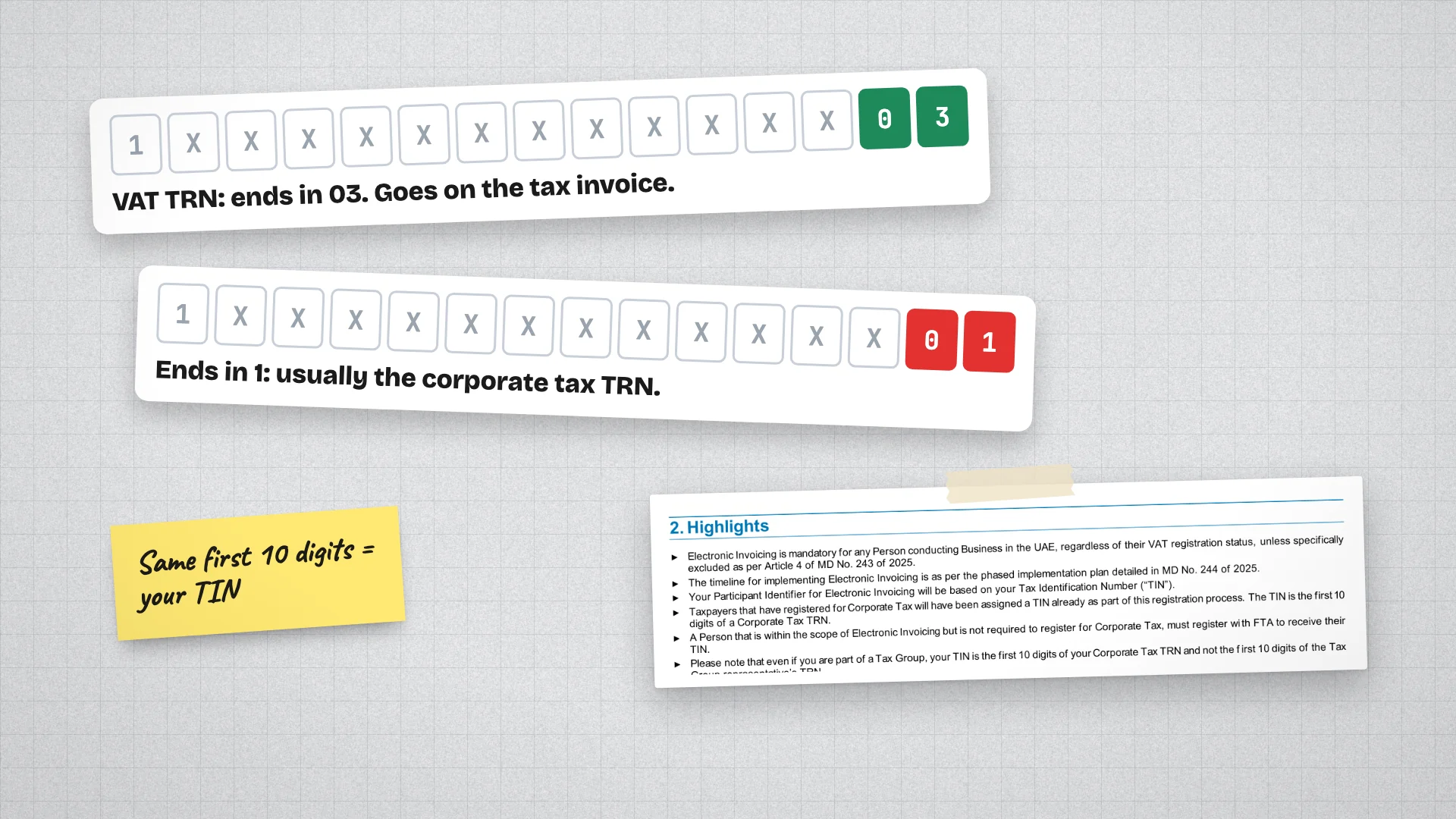
A wrong TRN on a PDF can go unnoticed for years. Under e-invoicing it will not. The UAE's PINT AE specification has a fatal validation rule for the VAT identifier: it must be 15 digits, start with 1 and end with 03. The Ministry of Finance's own sample TRNs end in 003. A number ending in 01 fails, and the invoice is rejected before it reaches your client.
How to tell them apart
- Both are 15 digits, and only the end differs.
- Your VAT TRN ends in 03, by the e-invoicing rule above.
- A number ending in 1 is very likely your corporate tax TRN. The FTA says only the last digit differs, and a consultant quoted by Gulf News in May 2024 described the corporate tax number as the VAT number with a suffix of 1. The FTA has not published what each ending means.
- When in doubt, check your VAT registration certificate, or use the TRN verification tool on the FTA's website.
Your TIN, the number underneath
E-invoicing adds a third identifier, the Tax Identification Number, or TIN. It is the first 10 digits of your TRN, and it becomes your Peppol address: 0235 followed by the TIN. The Ministry's documents describe it both as the first 10 digits of your corporate tax TRN and as the first 10 digits of the TRN you were issued. Since the two numbers share those digits, either gives the same TIN.
- In a tax group, your TIN comes from your own corporate tax TRN, not the group representative's.
- A business not registered for any tax must register with the FTA to get a TIN before e-invoicing.
- A seller without a TRN puts its TIN on a commercial e-invoice instead.
What to check this week
- The TRN printed on your invoice template: does it end in 03?
- The TRN saved in your accounting or invoicing software.
- Your clients' TRNs. A client who gave you their corporate tax number will fail validation on every e-invoice you send them.
- Your trade licence number and the authority that issued it, which e-invoices also carry.
The invoice generator on this site produces a tax invoice with your TRN where the current rules require it,.